
How to Install and Run DarkGPT (Reality, Risks, and What You Need to Know)

Share

If you’re searching for how to install and run DarkGPT, you’re likely trying to understand whether this tool is real, how people access it, and what actually happens in practice. DarkGPT is often described as an unrestricted AI system linked to cybercrime discussions, underground forums, and misuse scenarios. At the same time, many sources suggest that it can be installed or accessed easily, which creates confusion.
In reality, understanding how to install and run DarkGPT is not about following a simple setup guide. It is about understanding how these systems are described, how access is claimed, and what users actually experience. This guide explains that clearly, so you can separate assumption from reality.
TL;DR
- There is no official method for how to install and run DarkGPT
- Most access claims come from unverified environments
- Many downloads associated with DarkGPT are unsafe or misleading
- The biggest risk lies in the ecosystem, not just the tool
- Understanding the concept is more useful than attempting access
What Is DarkGPT
DarkGPT is not a single confirmed product. It is a broad label used to describe AI systems that operate without the safeguards found in mainstream models. Depending on the context, DarkGPT may refer to:
- modified open-source language modelsgi
- private AI systems shared in closed communities
- experimental setups discussed in cybersecurity spaces
- or misleading tools marketed under the same name
Because there is no standard definition, users searching for how to install and run DarkGPT are often dealing with a concept rather than a consistent tool.
Why There Is No Standard Installation Process
When people search for how to install and run DarkGPT, they expect a structured process similar to installing regular software. DarkGPT does not follow that model. There is no official website, no verified installer, and no consistent version that can be downloaded and run safely. Instead, what exists is a mix of references across forums, private communities, and unverified platforms. This explains why different guides offer different steps and why many of them do not lead to a working or reliable system. Understanding this gap is essential before going further.
System Requirements: What People Expect vs Reality
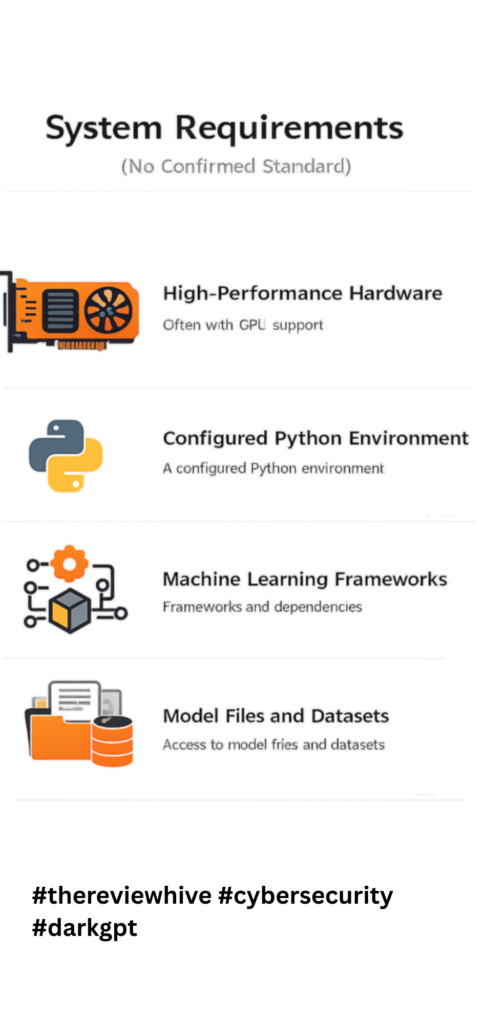
When exploring how to install and run DarkGPT, many users look for system requirements such as operating systems, RAM, and storage.
In reality, there are no confirmed system requirements for DarkGPT. What can be understood instead is how similar AI systems operate. These typically require:
- high-performance hardware, often with GPU support
- a configured Python environment
- machine learning frameworks and dependencies
- access to model files and datasets
Even in legitimate environments, running such systems is not simple. It requires technical understanding and controlled infrastructure. Because of this, any guide that presents fixed requirements for how to install and run DarkGPT should be approached with caution.
How to Install and Run DarkGPT (What Actually Happens Step by Step)
When users search for how to install and run DarkGPT, they expect a clear sequence of steps. In practice, the process is not structured, and most users follow an uncertain path.
Step 1: Searching for Access
Users begin by looking for repositories, guides, or links that claim to explain how to install and run DarkGPT. Most results lead to:
- forums
- Telegram groups
- blog posts with partial information
There is no official source, which is the first sign of inconsistency.
Step 2: Entering Unverified Spaces
Users are often directed into closed or restricted environments. These may require:
- invitations
- payments
- or account access
At this stage, users believe they are moving closer to understanding how to install and run DarkGPT, but they are entering spaces without verification or accountability.
Step 3: Downloading Files or Tools
Users may be given files or scripts that claim to provide access. This is the most critical stage. These downloads are often:
- incomplete
- unrelated
- or malicious
What appears to be progress toward running DarkGPT can introduce serious risks.
Step 4: Attempting to Run the System
Users attempt to execute the tool locally or in a virtual setup. Outcomes vary:
- limited functionality
- unstable outputs
- failure to run
At this stage, expectations around how to install and run DarkGPT begin to break.
Step 5: Understanding the Reality
Most users eventually realize that the process does not result in a reliable or usable system. Instead, they encounter:
- unclear outputs
- unstable environments
- or security concerns
This is where expectation and reality diverge.
How DarkGPT-Like Systems Work
To fully understand how to install and run DarkGPT, it helps to understand how similar systems function. These systems are typically based on language models that generate outputs from patterns in training data. When safeguards are reduced, the system may generate content that would normally be restricted.
This is why such systems are often linked to:
- phishing content generation
- social engineering scripts
- automated scam workflows
For deeper context, explore:
- DarkGPT threats like phishing and malware
- DarkGPT AI features and risks
Why Many Installation Guides Are Misleading
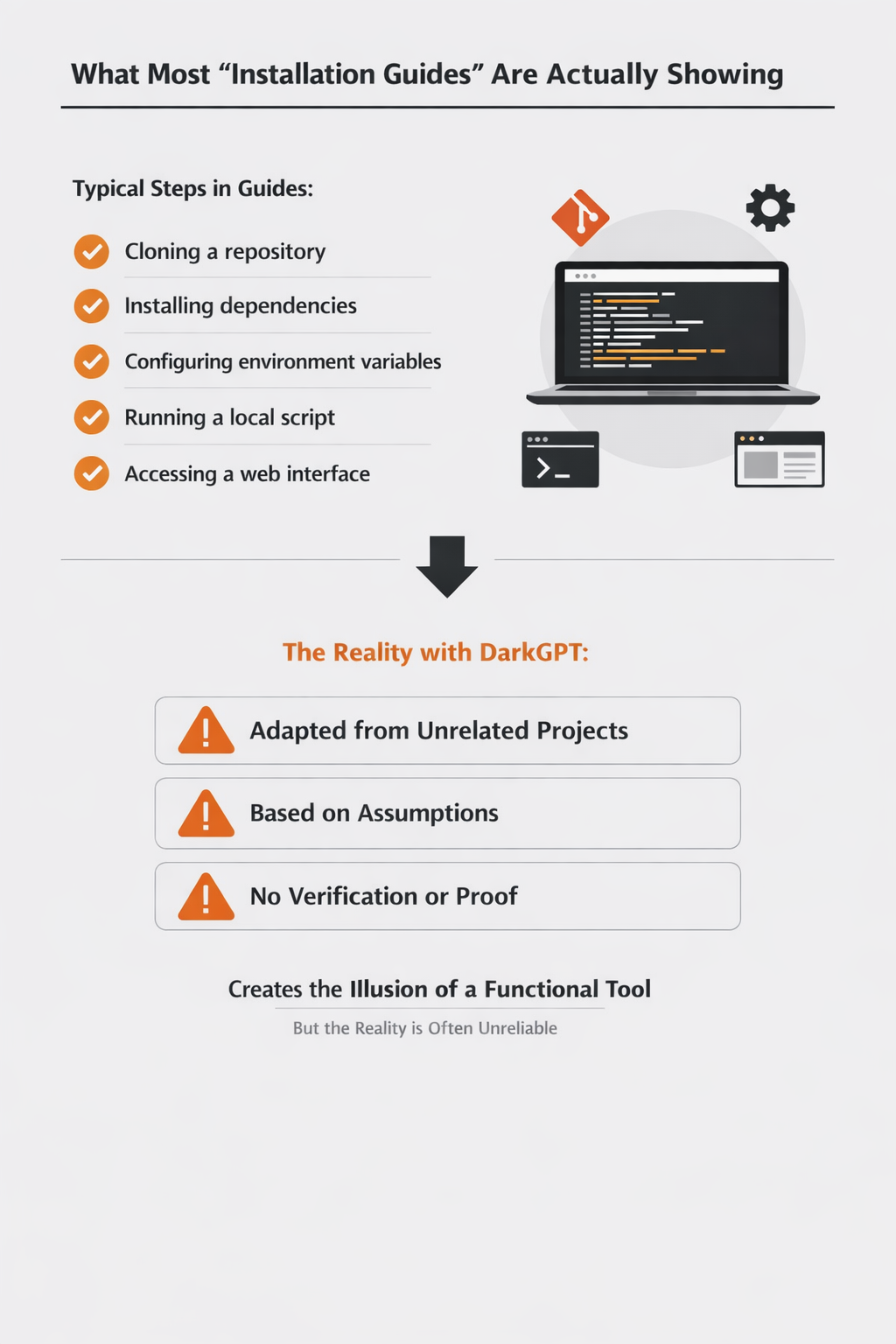
Many users searching for how to install and run DarkGPT come across guides that look like standard tutorials. These often include:
- cloning repositories
- installing dependencies
- configuring API keys
- running scripts locally
While structured, these guides are often based on:
- experimental projects
- unrelated tools
- incomplete setups
There is no verified source confirming these as legitimate methods.
Where Do People Find DarkGPT Online
Many users come across sources that claim to offer downloads or access points. These are usually found in:
- OSINT-focused communities
- private repositories
- forum discussions
- shared links across messaging platforms
Some guides suggest using GitHub repositories or shared codebases as a starting point. Others point toward modified tools that are presented as DarkGPT variants. At first glance, these sources appear structured and technical, which makes them look credible.
Why These Sources Should Be Approached Carefully
DarkGPT isn’t officially listed on open AI model directories. It’s often distributed through OSINT research communities or private repositories. Never download it from random Telegram or dark web sources. There is no confirmed repository, no standardized version, and no trusted distribution channel for DarkGPT. What users find online often falls into one of these categories:
- experimental projects that resemble AI tools
- modified scripts built on existing models
- incomplete or non-functional setups
- or tools that do not match what users expect
Because of this, following such sources does not guarantee that you are actually learning how to install and run DarkGPT. Stick to trusted research networks or verified GitHub forks.
Understanding the Gap Between Claim and Reality
The presence of structured installation steps gives the impression that DarkGPT is a well-defined system.
In reality, there is no single version that:
- can be consistently downloaded
- runs reliably across environments
- or matches the expectations set by these guides
This gap between what is claimed and what actually exists is what makes the topic confusing.
Understanding this helps you approach the idea of how to install and run DarkGPT with more clarity and less risk.
A Better Way to Approach This Topic
If your goal is learning, it is more useful to:
- understand how such tools are described
- analyze how similar systems function
- and focus on legitimate cybersecurity tools
For example, structured use cases involving leaked data analysis are better explored through verified tools and platforms.
Is DarkGPT Safe to Use
When exploring how to install and run DarkGPT, safety is often not the first concern. Most users focus on access and functionality, assuming that once they find the right source, the rest will follow. In reality, the biggest risk is not just the tool itself, but the entire environment surrounding it.
- Unverified Sources Create Immediate Risk
Most attempts to understand how to install and run DarkGPT begin in unverified environments such as forums, Telegram groups, or shared links. These spaces operate without transparency or accountability. Users do not know who developed the tool, what changes have been made to the code, or whether the files being shared are safe. This lack of visibility means that risk is present from the very first step, even before anything is downloaded or executed.
- Malware Disguised as AI Tools
A significant number of downloads associated with DarkGPT are not AI tools at all. They are designed to look legitimate while carrying hidden payloads. Once executed, these files can install malware, track user activity, or extract sensitive information from the system. Because users expect to run scripts or install dependencies, unusual behavior often goes unnoticed, making these attacks more effective.
- System and Data Exposure
Running unverified scripts can expose far more than expected. These scripts may request elevated permissions or connect to external servers without clear indication. As a result, users may unintentionally expose system-level access, stored credentials, or linked accounts. If the device is used for work or contains sensitive data, the impact can extend beyond a single system.
- Uncontrolled External Connections
Another overlooked risk is how these tools communicate externally. Some scripts connect to remote servers to fetch data, validate access, or run background processes. In unverified setups, there is no way to confirm what data is being transmitted or received. This creates a situation where user input, system information, or credentials may be shared without consent.
- False Sense of Control
One of the most subtle risks is psychological. Users believe they are in control because they initiated the process of how to install and run DarkGPT. They follow steps, run commands, and assume they understand what is happening. In reality, they are interacting with systems they cannot fully verify or monitor. This gap between perceived control and actual visibility makes the situation more risky than it appears.
- Risk Extends Beyond the Initial Action
The impact of unsafe access does not always appear immediately. A compromised system may continue to function normally while background processes run silently. Over time, this can lead to data leaks, unauthorized access, or broader system issues. This delayed impact is what makes these environments particularly dangerous for users who are unaware of the risks.
Legal and Ethical Considerations
Understanding how to install and run DarkGPT is not only a technical question. It also raises legal and ethical concerns that many users overlook in the early stages. What makes this topic complex is that the risks are not always obvious. They often depend on where access is attempted, how the tool is used, and what kind of content is generated.
- Unregulated and Unverified Environments
Most discussions around how to install and run DarkGPT take place in spaces that are not governed by clear rules or oversight. These include private forums, encrypted messaging groups, and invite-only communities. In such environments:
- there is no clear ownership
- there are no usage guidelines
- activities may not be monitored or moderated
This lack of structure creates uncertainty. Even if a user enters these spaces out of curiosity, they may still be interacting with systems or individuals operating outside legal boundaries.
- Unintentional Legal Exposure
One of the biggest risks is that users may unknowingly cross legal lines. For example, while exploring how to install and run DarkGPT, a user may:
- download tools from unknown sources
- interact with leaked or unauthorized datasets
- access systems without proper permission
In many jurisdictions, these actions can fall under:
- unauthorized access
- misuse of digital infrastructure
- handling of compromised or stolen data
The intent may not be malicious, but the outcome can still have legal consequences.
- Misuse of Generated Content
Systems described as DarkGPT are often associated with generating content that can be used in harmful ways. This includes:
- phishing messages
- impersonation scripts
- automated scam content
Even if the user does not intend to misuse this output, generating or sharing such content can raise ethical concerns. In some cases, it may also violate platform policies or cybersecurity regulations.
- Data Privacy and Compliance Risks
Another important aspect is data handling. If a user inputs personal, organizational, or sensitive information while experimenting with how to install and run DarkGPT, that data may:
- be stored in unknown systems
- be transmitted to external servers
- be reused without consent
This can create issues related to:
- data protection laws
- privacy regulations
- organizational compliance policies
For professionals, this is especially important. A single misstep can affect more than just personal systems.
Ethical Responsibility in Cybersecurity
Cybersecurity is not just about understanding tools. It is about understanding impact. Focusing only on how to install and run DarkGPT shifts attention toward access. A more responsible approach is to focus on:
- how such systems are used in attacks
- how they affect real users and organizations
- how to defend against them
This shift in perspective is what separates curiosity from responsible learning. The discussion around how to install and run DarkGPT is often driven by curiosity. But without context, that curiosity can lead to unintended consequences. Understanding the legal and ethical side helps you:
- make informed decisions
- avoid unnecessary risk
- and focus on learning that actually adds value
Safer Alternatives for Learning (Recommended Tools)
If your goal is to learn, there are better options than focusing only on how to install and run DarkGPT.
Here are legitimate tools that provide real value:
Dehashed
- breach data search platform
- helps identify exposed credentials
- widely used in OSINT investigations
LeakIX
- tracks exposed services and leaked data
- useful for vulnerability discovery
FOFA
- search engine for internet-connected assets
- helps identify exposed systems and services
ZoomEye
- similar to FOFA and Shodan
- used for reconnaissance and security research
Shodan
- one of the most widely used tools in cybersecurity
- helps locate exposed devices, servers, and services
theHarvester
- collects emails, domains, and metadata
- useful for reconnaissance
👉 You can explore more structured use cases here:
https://thereviewhive.blog/darkgpt-a-powerful-ai-driven-osint-tool-for-leaked-database-detection/
These tools:
- are legitimate
- are widely used
- help you build real skills
To Sum Up
If you are trying to understand how to install and run DarkGPT, the key takeaway is that there is no clear or reliable path. What exists is a mix of claims, experiments, and misinformation. The real value lies in understanding how such systems are discussed and how they can be misused. Focusing on verified tools and structured learning will give you far more practical insight without unnecessary risk.
Focused FAQs
Is there a real way to install and run DarkGPT
There is no verified or official method for how to install and run DarkGPT.
Why do guides claim to show how to install and run DarkGPT
Many are based on assumptions, experimental tools, or misleading content.
Is DarkGPT publicly available
There is no confirmed public version that can be safely accessed.
What is the biggest risk in trying to install and run DarkGPT
Exposure to malware, compromised systems, and data theft.
Can learning about how to install and run DarkGPT help in cybersecurity
Understanding the concept helps, but real learning comes from legitimate tools.








you have a great blog here! would you like to make some invite posts on my blog?
Connect with us over the email – thereviewhive2023@yahoo.com
And give us specific details