Why Multi-Factor Authentication (MFA) Is Important

Share
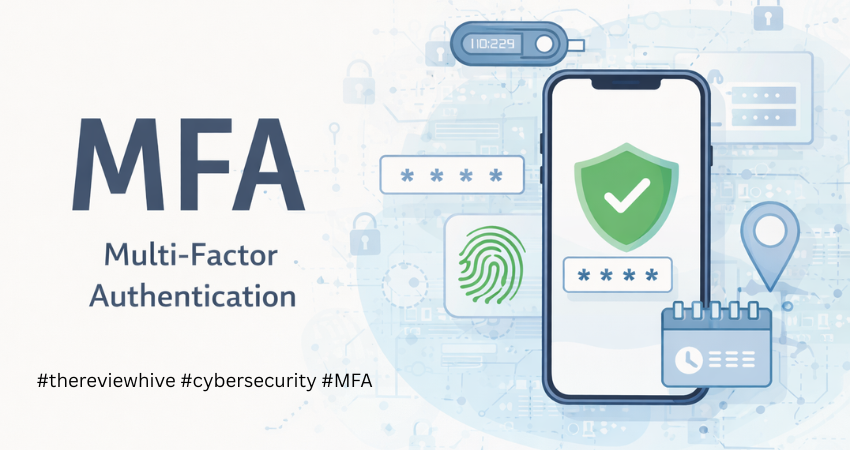
In 2025, researchers uncovered a massive pool of exposed login data. Billions of usernames and passwords were found circulating online, collected over time from breaches and malware. It wasn’t one incident. It was years of compromised data coming together in one place. At the same time, phishing has become harder to spot. Emails sound natural. Login pages look real. People don’t always realize what’s happening until access is already lost. Most attacks today don’t involve breaking systems. Attackers log in using credentials that already work. That’s the real issue. Passwords on their own don’t hold up anymore. Multi-factor authentication adds another step to the process. It slows attackers down and often stops them completely. It doesn’t make systems perfect, but it makes misuse much harder. And right now, that matters.
TL;DR
Multi-factor authentication adds a second check during login. That extra step makes it much harder for attackers to get in, even if they already have your password. It’s simple to use and works across most platforms.
What Is Multi-Factor Authentication (MFA)?
Multi-factor authentication means you don’t rely on just one thing to prove who you are. Instead of entering a password and getting access right away, you’re asked for something more. That second step could be a code sent to your phone, a prompt on an app, or even a fingerprint. The idea is simple. Even if someone knows your password, they still can’t get in without that second piece. Most systems rely on a combination of identity factors. Something you know, something you have, and something you are. Using at least two of these creates a stronger barrier between your account and unauthorized access.
Why Multi-Factor Authentication (MFA) Is Important
Passwords were never meant to carry this much responsibility. People reuse them, forget them, or store them in unsafe ways. Once a password leaks, it often gets reused across multiple accounts. Attackers take advantage of this by testing stolen credentials across platforms. When phishing is involved, access becomes even easier because users unknowingly hand over their login details. MFA changes how this works. Even if the password is correct, the login cannot be completed without the second step. That one interruption is often enough to stop the attack entirely.
Key Benefits of Multi-Factor Authentication
- Protects Against Unauthorized Access
When a password is exposed, the account becomes vulnerable. MFA adds a barrier that cannot be crossed with credentials alone. The attacker still needs access to your device or your verification method, which they usually don’t have. This is especially important for accounts like email or cloud services, where a single login can open access to multiple connected platforms. When a password is exposed, the account becomes vulnerable almost immediately.
MFA changes that by adding a second requirement that attackers usually cannot meet. Even if they have valid login credentials, they still need access to your device, your app, or your biometric verification. This creates a clear break in the attack chain. Instead of a direct login, the attacker is stopped at the final step. For accounts like email or cloud platforms, this one barrier can prevent access to multiple connected services.
- Reduces the Impact of Phishing
Phishing works because it targets human behavior. Even careful users can be misled by a well-designed message or login page. MFA limits the damage in such situations. Even if the password is shared, the attacker cannot move forward without the second factor, which gives you time to react and secure your account. People make mistakes. A convincing email or a familiar-looking login page can lead anyone to enter their password without thinking twice.
MFA limits what happens next. Even if the password is shared, the attacker cannot complete the login. That pause is often enough to stop the breach from going further. In many real-world cases, MFA is what turns a successful phishing attempt into a failed breach.
- Secures Sensitive Data
Accounts today are more than just storage spaces. They are entry points into financial systems, personal data, and business operations. MFA adds a checkpoint before access is granted. This slows down attackers and often prevents them from reaching critical data in the first place. Email accounts, banking apps, and business tools hold more than just information. They hold access. Once inside, attackers can move quickly.
MFA slows this down. It adds a checkpoint before anything serious can happen. That delay often prevents larger damage. This is why MFA is considered essential for protecting both personal and organizational data.
- Supports Security Expectations
Security is no longer just a technical detail. Users expect it. Businesses are expected to protect data properly, not just store it. MFA helps meet that expectation. It shows that access is being controlled, not left open. For organizations, this is not just about compliance. It is about reducing real risk.
- Builds Trust
When people know their accounts are better protected, they feel more comfortable using a service. It’s a simple signal, but it matters. For businesses, this builds credibility. Users notice when security is taken seriously. Security directly affects how people view a service. When users see that MFA is in place, it builds confidence. For businesses, this trust strengthens relationships and shows a clear effort to protect user data.
- Reduces Risk from Credential Reuse
Many users reuse passwords across different platforms. When one site is breached, those credentials are often tested on other services. This is a common and effective attack method. MFA breaks this pattern. Even if the reused password works, the attacker cannot proceed without the second factor. This reduces the effectiveness of credential stuffing attacks and limits the spread of a single breach.
- Works Across Platforms Without Complexity
One of the practical advantages of MFA is that it does not require complex setup. Most platforms support it, and users can enable it with a few steps. It works across devices, applications, and services without disrupting normal usage. Once set up, it becomes part of the login routine while quietly adding a strong layer of protection.
Types of Multi-Factor Authentication
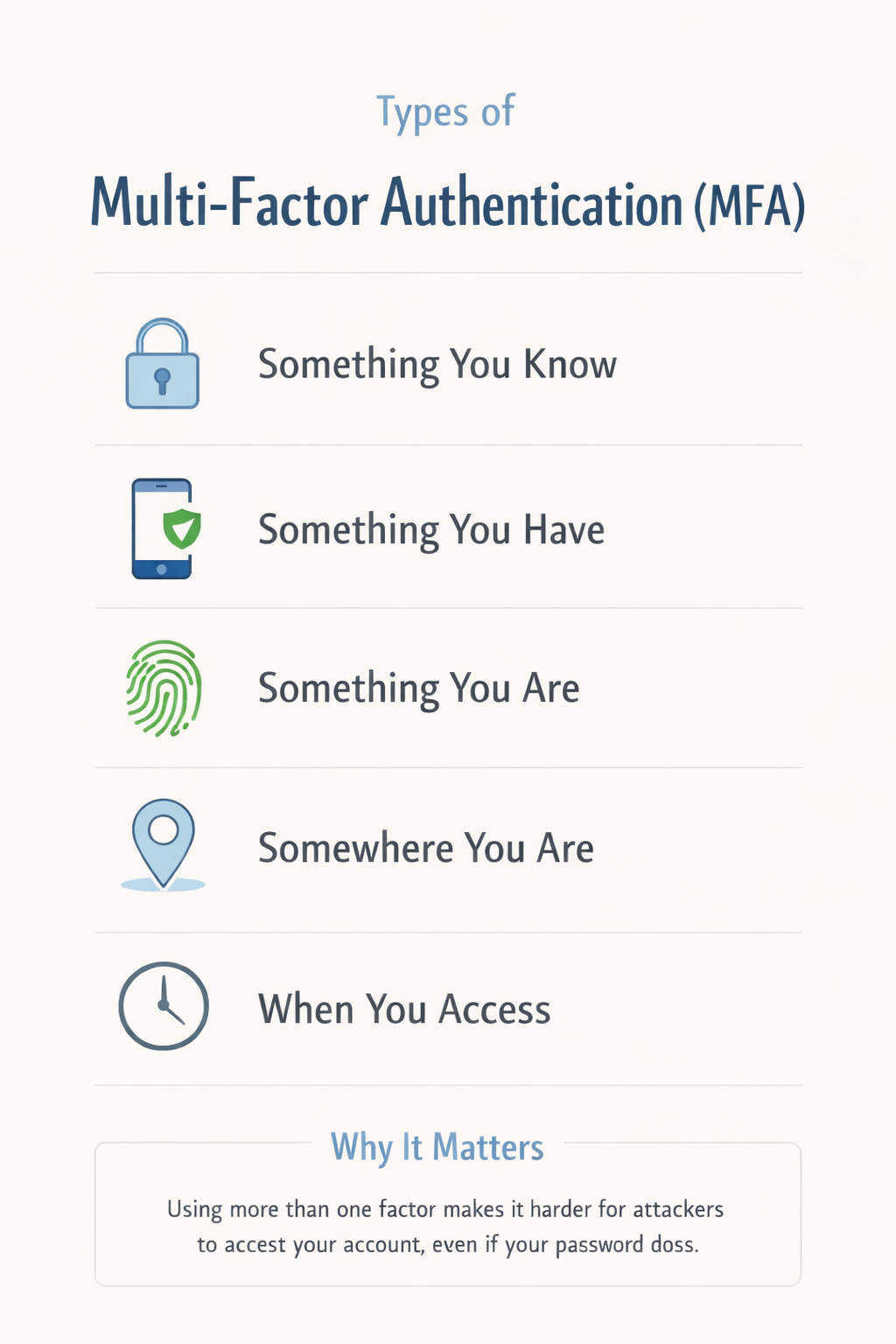
MFA is not a single method. It works through different types of verification, and each serves a specific purpose. Knowledge factor includes passwords, PINs, or security answers. Possession factor involves devices such as phones, authenticator apps, or hardware keys. Inherence factor includes biometrics like fingerprint or facial recognition. Location or context factor considers where the login attempt is coming from, such as a new country or unusual device. Using a mix of these strengthens authentication and reduces unauthorized access.
- Knowledge Factor (Something You Know)
This includes passwords, PINs, or answers to security questions. It is the most common form of authentication and is used in almost every login system.
On its own, this factor is weak because passwords can be guessed, reused, or stolen. That’s why it is rarely enough by itself and is usually combined with another factor in MFA.
- Possession Factor (Something You Have)
This factor is based on something you physically possess, such as your mobile phone, a hardware token, or a security key.
One-time passwords sent via SMS, codes generated by authenticator apps, and push notifications all fall into this category. This is one of the strongest and most widely used MFA factors because it ties access to a specific device.
- Inherence Factor (Something You Are)
This refers to biometric verification, such as fingerprint scans, facial recognition, or voice patterns. Biometrics are harder to replicate and offer a convenient way to authenticate users without requiring them to remember anything. However, they depend on the security of the device being used.
- Location or Context Factor (Somewhere You Are)
This factor considers the context of the login attempt. It looks at details such as geographic location, IP address, or device behavior.
For example, if a login attempt comes from a new country or an unfamiliar device, the system may require additional verification. This type of MFA works in the background and adds an extra layer of security without interrupting normal usage.
- Time-Based Factor (When You Are Accessing)
Some systems also consider the timing of access. Login attempts at unusual hours, or outside normal usage patterns may trigger additional authentication steps. This helps detect suspicious activity and adds another layer of protection based on behavior rather than just identity. In practice, MFA works best when at least two of these factors are combined. The goal is not to make access difficult, but to make unauthorized access much harder.
Limitations of MFA
Multi-factor authentication improves security, but it is not flawless. It reduces risk, not eliminates it. Knowing where it falls short helps you use it better.
- Login Friction
MFA adds an extra step, and over time, that step can feel repetitive. Users may begin approving requests without checking them carefully, which reduces its effectiveness. Attackers rely on this behavior. Staying mindful during login helps maintain its value.
- Device Dependency
MFA often depends on a mobile device. If the device is lost, damaged, or unavailable, access can become difficult. Setting up backup methods and recovery codes ensures continuity.
- SMS Vulnerabilities
SMS-based authentication can be targeted through SIM swapping or interception. This makes it less reliable for sensitive accounts. Using authenticator apps or hardware keys is safer.
- Advanced Phishing Attacks
Some attacks capture both passwords and MFA codes in real time. These rely on user trust and speed. Avoiding suspicious links and verifying login pages helps reduce risk.
- Push Notification Fatigue
Repeated login prompts can lead to careless approvals. Attackers exploit this behavior. Denying unexpected requests is safer than approving quickly.
How to Handle These Limitations
- Use Stronger MFA Methods
Using authenticator apps instead of SMS-based codes improves security because the codes are generated on your device and cannot be intercepted easily. For high-value accounts, hardware security keys provide an added layer of protection since they require physical access and are resistant to phishing attempts. This shift from convenience-based MFA to security-focused MFA makes a noticeable difference in reducing risk.
- Keep Backup Access Ready
Backup recovery codes should be stored in a secure location so that you can access your account if your primary device is unavailable. Setting up multiple verification methods, such as a secondary device or backup email, ensures that you are not locked out while maintaining security. Planning for device loss or failure is part of using MFA responsibly.
- Be Careful with Approvals
Every login request should be treated as a security event. If a request appears without your action, it is likely suspicious. Taking a moment to verify the request before approving it can prevent unauthorized access and stop attackers from exploiting user behavior. Awareness plays a key role in how effective MFA really is.
- Use Safer Verification Options
Enabling features like number matching or additional confirmation prompts ensures that login approvals are intentional. These methods require users to match information displayed on screen, which reduces the chances of accidental or blind approvals. Adding context to verification makes the process more secure without making it complex.
- Keep Your Devices Secure
MFA is only as strong as the device it depends on. Keeping your device updated, using screen locks, and avoiding untrusted applications ensures that the authentication process remains secure. A compromised device can weaken even strong MFA setups, so device hygiene is essential.
MFA Do’s and Don’ts
| Do’s | Don’ts |
| Use an authenticator app for better security | Depend only on SMS codes |
| Enable MFA on your email first | Skip MFA on important accounts |
| Store backup codes safely | Save codes in unsecured places |
| Use hardware keys for critical accounts | Assume MFA solves everything |
| Check login requests before approving | Approve requests without thinking |
| Enable additional verification features | Turn off security for convenience |
| Keep devices updated | Use outdated systems |
| Set up backup methods | Rely on one device only |
| Watch for unusual activity | Ignore alerts |
| Log out from shared devices | Stay logged in on public systems |
Who Should Use MFA?
Multi-factor authentication is not limited to technical users or large organizations. It is relevant for anyone who uses digital services, which means almost everyone today.
- For individuals, MFA is one of the easiest ways to protect everyday accounts. Email should be the first priority because it acts as a gateway to other services. Banking apps, social media accounts, and cloud storage also hold sensitive information that can be misused if accessed without permission. Even a single compromised account can lead to identity theft, financial loss, or misuse of personal data.
- For small businesses, the risk is higher because accounts are often connected. A compromised email or admin account can affect customer data, invoices, internal communication, and operations. Many small businesses assume they are not targets, but most attacks are automated and do not depend on company size. MFA helps reduce this risk without requiring complex security setups.
- For teams and growing organizations, MFA becomes part of basic access control. Employees often work across multiple tools and platforms, sometimes from different locations. MFA ensures that access is verified at each step, which helps prevent unauthorized entry into internal systems, especially when devices are shared or used remotely.
- For administrators and privileged users, MFA is critical. These accounts have higher levels of access, and if compromised, the impact can be widespread. Using stronger MFA methods such as hardware keys is recommended for such roles.
- For anyone using remote access, cloud services, or shared environments, MFA adds an extra layer of control. Whether it is logging in from a new device or accessing data from a different location, that second step helps confirm that the request is legitimate.
At this point, MFA is no longer an advanced feature meant for a few users. It is a basic security step that fits into everyday digital use. The more access you have, the more important it becomes.
To Sum Up
Multi-factor authentication does not eliminate every risk, but it closes one of the biggest gaps in account security. It shifts the balance by making it harder for attackers to rely on stolen credentials alone. Instead of a single point of failure, it introduces an additional check that slows down or completely blocks unauthorized access. In a time where most attacks begin with valid login details, this added layer is not just helpful, it is necessary. It is a simple step, but it changes how easily an account can be misused.
FAQs
Why is multi-factor authentication (MFA) important?
It adds a second layer of protection, which means a stolen password is not enough to access an account.
How does MFA stop attackers?
It requires something the attacker usually does not have, such as a device or a verification code.
Is MFA necessary for personal accounts?
Yes. Personal accounts are often targeted, and MFA reduces the chances of unauthorized access.
Which MFA method is safer?
Authenticator apps and hardware keys are generally more secure than SMS-based codes.
Can MFA be bypassed?
It is not impossible, but it makes attacks much harder and stops most common attempts.