How Multi-Factor Authentication Protects Your Everyday Life

Share

Multi-Factor Authentication (MFA) adds an extra layer of account security to your digital life. Even if someone steals your password, they can’t log in without that second step—like a one-time password or fingerprint. It’s a simple, reliable way to protect your accounts and strengthen online safety.
What Is Multi-Factor Authentication?
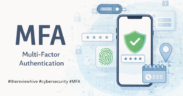
Multi-Factor Authentication (MFA) might sound technical, but it’s actually quite simple. It’s a security process that confirms you are the one logging in—using more than just your password.
After entering your password, MFA asks for additional proof of identity, such as a one-time password sent to your phone, a verification code from an authenticator app, or biometric verification like your fingerprint or face scan.
Think of it as locking your digital door with two keys instead of one. A hacker might get your password, but without that second key, they’re stuck outside.
MFA usually combines three factors:
- Something you know: your password or PIN
- Something you have: your phone, token, or security key
- Something you are: your fingerprint, face, or voice
This multi-layered verification builds strong account security. Even if one layer fails, the others keep your accounts safe. That’s why cybersecurity experts and tech companies recommend enabling MFA wherever possible—it protects your accounts from unauthorized access and phishing attacks.
Why Passwords Alone Don’t Cut It Anymore
Passwords were once the only defense against hackers. But today, they’re also one of the weakest. Most people reuse passwords across multiple accounts, forget to change them, or choose ones that are easy to guess.
According to SpyCloud, around 70% of users reuse the same password across different sites. Enzoic reports that 65% of users reuse credentials, and 78% admit to using the same password for more than one account. These habits make it easy for attackers to break into multiple accounts with a single stolen password.
Cybercriminals also use advanced tools like automated bots to test thousands of passwords per minute. They buy stolen credentials from data breaches or send phishing emails to trick users into entering their passwords. In most cases, they don’t “hack” in—they simply log in like you would.
The real issue is that passwords confirm what you know, not who you are.
Your password doesn’t prove your identity. Anyone with that information can impersonate you online.
The 23andMe Data Breach: A Real Example of Password Failure
A clear example of this risk came in 2023, when 23andMe, a major genetics testing company, suffered a massive credential stuffing attack.
Hackers used login credentials stolen from unrelated sites and tried them on 23andMe’s platform. Since many users reused passwords, over 18,000 accounts were directly accessed. Through connected family features, data of nearly 7 million people was ultimately exposed.
At the time of the breach, MFA was optional, and fewer than 22% of users had it enabled. Investigations by the Office of the Privacy Commissioner of Canada (OPC) confirmed that stronger authentication could have prevented the attack or limited its scale. The company later faced global regulatory scrutiny, including a fine of over £2.3 million from the UK Information Commissioner’s Office (ICO) for failing to enforce better security measures.
(Source: priv.gc.ca, infosecurity-magazine.com)
This incident shows what happens when passwords fail—and how enabling MFA could have prevented the breach altogether.
What the Data Shows
Microsoft’s own research backs this up:
- Enabling MFA reduces the risk of account compromise by 99.22% across all accounts, and by 98.56% even when credentials are leaked.
- Over 99.99% of MFA-protected accounts remained secure during Microsoft’s observation period.
- More than 99.9% of compromised accounts had no MFA enabled.
(Source: Microsoft Security Research Paper, 2023)
In short, when passwords fail, MFA stops the attack.
How MFA Protects Your Everyday Life
Multi-Factor Authentication isn’t just for companies or tech experts—it protects everyone, every day. It’s built into your favorite apps and quietly keeps your online safety intact.
1. Banking and Digital Payments
Each time you make an online transaction or log in to your bank app, you probably get a one-time password or push notification. That’s MFA confirming it’s really you.
If a hacker steals your credentials, they still can’t transfer money or access your account without that second factor. Banks depend on MFA to ensure account security, prevent fraud, and confirm user identity.
2. Email and Cloud Accounts
Your email is your digital command center—it connects to nearly every other account.
Without MFA, one leaked password can unlock your entire online world.
When you enable MFA, you add a gate that stops attackers from logging in without your approval. Cloud services like Google Drive and Dropbox use similar verification to protect personal and work files.
3. Social Media and Messaging Apps
Social media accounts are prime targets for hackers because they’re personal and public.
A compromised profile can spread scams, fake posts, or phishing links in your name.
Enabling MFA on Instagram, Facebook, or WhatsApp means that every login needs verification from your phone or authenticator app. Even if someone knows your password, they can’t impersonate you.
4. Work and Remote Access
With remote work, employees often log in from home networks that aren’t fully secure. MFA prevents attackers from exploiting stolen credentials to access company systems.
Even if an attacker knows a password, they’ll be blocked at the second verification step. This protects sensitive company data and keeps compliance intact.
5. Shopping and Subscription Platforms
Online stores and streaming services store credit card information and billing data.
MFA ensures that only you can complete a purchase or change account settings.
If a hacker steals your credentials, they’ll still be stopped by the authentication prompt.
Platforms like Amazon, Netflix, and Spotify now recommend enabling MFA for stronger login protection.
6. Mobile Apps and Personal Devices
Your smartphone holds your most personal data—messages, health info, banking apps, and photos.
Biometric verification like fingerprints or facial scans is MFA in action.
Even if your phone is lost or stolen, no one can access protected apps without your biometric approval. It’s invisible security that protects your privacy around the clock.
7. Gaming and Entertainment Accounts
Gamers are frequent victims of account theft, especially when valuable in-game assets are involved.
Enabling MFA on gaming platforms like Steam, Xbox Live, and PlayStation Network ensures that no one can log in or make purchases without your consent. It’s a simple safeguard for your identity and digital property.
8. Everyday Logins and Personal Safety
From food delivery apps to government portals, MFA protects every corner of your online presence.
It’s a small step that prevents big problems. By adding an extra layer of verification, you make it harder for hackers to succeed—and easier for you to stay in control of your data.
Why Multi-Factor Authentication Works So Well
MFA works because it’s proactive. It doesn’t wait for a breach—it stops unauthorized access in real time. According to Microsoft, enabling MFA blocks over 99.9% of account compromise attacks.
That second layer is what makes the difference. A stolen password may get a hacker to your login page, but without your phone, fingerprint, or code, they can’t move forward.
It’s the simplest and most effective defense for personal and business security alike.
Tips to Use MFA Effectively
- Use Authenticator Apps Instead of SMS — SMS codes can be intercepted; app-based authentication is more secure.
- Enable MFA Everywhere — Protect your accounts on email, banking, cloud storage, and social media.
- Keep Backup Codes Safe — They’ll help you regain access if you lose your device.
- Reject Unknown Login Requests — If you get a random prompt, deny it—it’s likely a hacker’s attempt.
- Update Devices Regularly — Updated systems improve security and keep biometric MFA running smoothly.
FAQs: Understanding Multi-Factor Authentication (MFA)
- What is Multi-Factor Authentication (MFA)?
MFA is a login process that uses two or more verification steps to confirm your identity. It strengthens account security and prevents unauthorized access. - How does MFA improve online safety?
Even if someone steals your password, they can’t log in without completing the second step—like entering a one-time password or biometric scan. - What’s the difference between MFA and Two-Factor Authentication (2FA)?
2FA uses two verification methods. MFA can include two or more, making it even stronger. - Is MFA necessary for personal accounts?
Yes. Personal accounts like email, social media, and banking hold sensitive information that needs protection. - Can hackers bypass MFA?
It’s rare but possible if users fall for phishing. Always check the website address before entering your credentials. - What’s the best MFA method?
Authenticator apps and biometric verification are safest. They don’t rely on phone networks like SMS codes do. - What if I lose my phone with MFA enabled?
Use recovery codes or backup methods provided during setup. Most services let you transfer your authenticator app to a new device. - Does MFA slow down login?
Only by a few seconds—but those seconds can save your account from being compromised. - Is SMS-based MFA safe?
It’s better than no MFA, but app-based or biometric methods offer stronger protection. - Why should businesses make MFA mandatory?
Because MFA drastically reduces the risk of data breaches, phishing attacks, and unauthorized access to company systems.
To Sum Up
Multi-Factor Authentication is one of the most effective, low-effort ways to improve your online safety. It protects your accounts, prevents phishing, and secures your digital identity. Passwords can fail—but MFA doesn’t. By adding that one extra step, you’re building real defense into your everyday digital life.
Turn it on wherever possible. It’s quick, free, and proven to stop over 99% of cyberattacks before they begin.