WhatsApp Links Used in Sophisticated Gmail Phishing Attack

Share
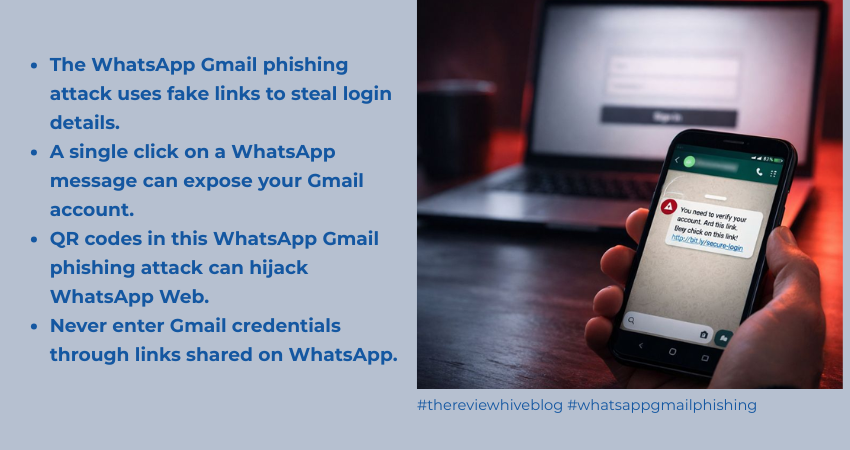
A dangerous new phishing campaign is making the rounds, and it uses WhatsApp as the delivery platform. Instead of sending fake emails, attackers are now sending carefully crafted WhatsApp messages with malicious links. These links appear harmless, but they lead to fake Gmail login pages designed to steal account credentials.
Security researchers tracking the campaign warn that this attack is especially effective because users don’t expect phishing attempts to arrive through WhatsApp.
This isn’t the first time WhatsApp has been abused for scams. Even with strong platform improvements introduced in WhatsApp 2025 security updates, social engineering attacks continue to bypass technical defenses.
TL;DR
Attackers are using WhatsApp messages to distribute phishing links that mimic Gmail login pages. Victims who click the links are tricked into entering Gmail credentials and two-factor codes. Some versions also display QR codes that can hijack WhatsApp accounts through WhatsApp Web linking. The phishing pages may request camera, microphone, and location permissions, turning the attack into potential surveillance. Users should never log into Gmail through WhatsApp links and must enable two-step verification to stay safe.
How the phishing attack works
The attack follows a simple but convincing pattern.
- The victim receives a WhatsApp message with a link.
- The message claims to be an urgent alert or account verification notice.
- Clicking the link opens a web page that looks identical to Gmail.
- The fake page asks for email, password, and two-factor authentication codes.
- Everything entered is instantly captured by the attackers.
Once hackers gain access to a Gmail account, they can:
- Read private emails
- Reset passwords
- Access Google Drive files
- Take over social media and banking accounts
- Lock the real user out
Because Gmail accounts are often the central key to many online services, the damage can spread quickly.
QR codes used to hijack WhatsApp accounts
In some versions of this campaign, the phishing page does more than steal Gmail credentials.
Victims are shown a WhatsApp-style screen with a QR code. They are told to scan it to verify their identity or continue using WhatsApp.
But scanning that QR code can link the victim’s WhatsApp account directly to the attacker’s device.
This trick exploits the legitimate WhatsApp Web feature. Once linked, attackers can:
- Read conversations
- View contact lists
- Monitor chats in real time
- Send messages pretending to be the victim
This exact method has been widely abused before. We have explained in detail how hackers use WhatsApp Web to spy on users and hijack accounts.
Phishing pages can turn into spying tools
The danger doesn’t stop at stolen passwords. The malicious webpage can also request browser permissions such as:
- Camera access
- Microphone access
- Location tracking
If a victim grants these permissions, attackers could potentially monitor movements, record audio, or capture images.
This behavior is similar to past spyware campaigns that disguised themselves as WhatsApp tools. One example is the Clayrat Android spyware campaign that used fake WhatsApp and TikTok apps to spy on victims.
WhatsApp has become a frequent phishing target
This Gmail phishing campaign fits into a larger pattern of WhatsApp-based attacks.Over the years, attackers have repeatedly used the platform to distribute malware and steal financial data. A well-known example is the Astaroth WhatsApp worm that spread banking malware through chat messages. These incidents show that WhatsApp is no longer just a messaging app. It has become a primary channel for social engineering scams.
Why this attack is so effective
Most people associate phishing with email. They know to be cautious when a suspicious message lands in their inbox.
But WhatsApp messages feel more personal and trustworthy.
Attackers take advantage of this trust. A simple message from an unknown number can look like a routine notification, and many users click without thinking.
Even though Meta continues to expand WhatsApp security programs and bug bounty efforts, human behavior remains the weakest link.
How to protect yourself from this attack
You don’t need advanced tools to stay safe. You just need smart habits.
Here are the most important precautions:
- Never click on links that ask you to log into Gmail through WhatsApp
- Avoid entering passwords on any page opened from chat messages
- Don’t scan QR codes that claim to verify your WhatsApp account
- Regularly check which devices are linked to your WhatsApp
- Never grant camera, microphone, or location permissions to unknown sites
One of the strongest protections is enabling two-step verification. If you haven’t done this yet, follow our guide on WhatsApp two-step verification setup and best practices.
It’s also important to understand all built-in protections. Here is a detailed overview of WhatsApp privacy and security features that help prevent hacks.
For complete device-level safety, check our step-by-step guide on how to secure WhatsApp from hackers on iPhone and Android.
What to do if you clicked the phishing link
If you suspect you may have interacted with one of these malicious links, act immediately.
- Change your Gmail password right away
- Log out of all active Gmail sessions
- Review recovery email and phone number
- Check WhatsApp for unknown linked devices
- Remove any unfamiliar devices
- Enable two-factor authentication using an authenticator app
- Monitor your accounts for suspicious activity
Quick action can stop attackers before they do serious damage.
To Sum Up
This campaign shows how phishing is evolving. Attackers are moving away from email and into platforms where users feel safer. Messaging apps like WhatsApp have become prime targets.
Technical security measures help, but awareness is still the strongest defense. No matter how genuine a message looks, a login link sent through WhatsApp should always be treated as suspicious.
FAQs
1. Can a WhatsApp link really hack my Gmail account?
Yes. If the link leads to a fake Gmail login page and you enter your credentials, attackers can immediately take over your account.
2. How do attackers hijack WhatsApp using QR codes?
They trick victims into scanning a QR code that links the victim’s account to the attacker’s device through WhatsApp Web.
3. Can just clicking the link infect my phone?
In most cases, no. The main danger is entering credentials or granting permissions after clicking the link.
4. What is the safest way to use Gmail on mobile?
Always open Gmail directly through the official app or by typing gmail.com manually in the browser. Never log in through links.
5. How can I check if someone accessed my WhatsApp?
Open WhatsApp → Linked Devices and review the list. Remove any device you don’t recognize.
6. Does two-step verification really help?
Yes. Two-step verification adds an extra layer of security that prevents attackers from taking over your account even if they know your password.
7. What should I do first if I fell for this scam?
Immediately change your Gmail password, remove unknown WhatsApp devices, and enable two-factor authentication.