How Hackers Use WhatsApp Web

Share
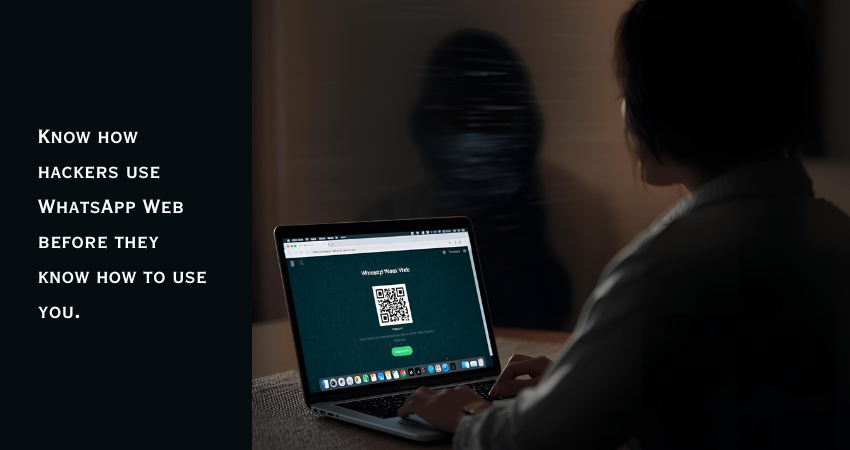
Most of us open WhatsApp Web on our laptops for convenience. It’s quick, easy, and feels safe. But that same comfort is what hackers count on. According to Kaspersky’s 2025 report, 32% of mobile phishing attacks now target messaging platforms, and WhatsApp leads with nearly half of those attempts.
In the United States, the Federal Trade Commission (FTC) reported a 61% surge in social messaging scams in the last year alone, many involving fake WhatsApp business accounts, job offers, and customer-support impersonations. Globally, over 500 million WhatsApp users were affected by data leaks or account takeovers in 2024.
These numbers highlight how attackers are weaponizing one of the world’s most familiar tools. Before we explore how hackers use WhatsApp Web, take a look at the global snapshot below.
Global WhatsApp Scam Statistics (2024–2025)
| Region / Country | Type of Scam or Threat | Reported Impact / Data | Source |
| United States | Fake job offers, business impersonation, QR-code scams | 61% rise in social messaging scams; over $100M in reported losses | FTC / FBI IC3 (2024) |
| India | QR phishing, fake customer care, malicious browser extensions | 22,000+ WhatsApp-related cyber complaints; major rise in session hijacks | CERT-In / Telangana Cyber Bureau (2025) |
| Brazil | Malicious Chrome extensions, WhatsApp marketing tool abuse | 130+ malicious extensions detected; large-scale account takeovers | Cybersecurity News / ESET LATAM (2024) |
| UK & EU | Investment and crypto fraud via WhatsApp groups | 40% increase in scams using WhatsApp Web links | Action Fraud UK / Europol (2025) |
| Global Total | Combined phishing, malware, and QR-based hijacks | 500M+ users affected by leaks, 78% rise in QR phishing year-over-year | Kaspersky / Group-IB (2025) |
TL;DR
Hackers trick users into scanning fake WhatsApp Web QR codes or use malicious browser extensions to hijack sessions. Once linked, they can read chats, impersonate the victim, and spread scams. Check your linked devices often, enable two-step verification, and use only the official web.whatsapp.com site.
How Hackers Use WhatsApp Web
1. QR-Code Phishing (QRLJacking)
Attackers build fake websites that imitate WhatsApp Web. When users scan the fake QR code, their account links to the attacker’s device. In 2024, cybersecurity firms recorded a 78% global increase in QR-code–based phishing attacks, mainly in the US, India, and Europe.
2. Malicious Browser Extensions
More than 130 malicious Chrome extensions targeted WhatsApp Web users last year. They disguised themselves as “automation” or “marketing” tools and secretly recorded chat data.
3. Public or Shared Computers
Logging into WhatsApp Web on public systems without logging out leaves your session open for exploitation. Attackers also use fake kiosks and public terminals to capture QR scans.
4. Malware and Remote Access Tools
Stealer malware like RedLine and LummaStealer can duplicate WhatsApp Web sessions. Once infected, the attacker sees everything you type without needing a QR code.
5. SIM Swap and Verification Code Scams
In the US alone, SIM-swap–related messaging fraud caused over $100 million in losses in 2024, as per the FBI’s Internet Crime Complaint Center. Once they control your number, attackers can re-register your WhatsApp and link it to a browser they own.
How to Catch Them Early
Catching hackers before they take full control of your WhatsApp Web account isn’t about luck, it’s about awareness. Most attacks leave small traces — signs that something isn’t right. The problem is that people often dismiss these clues as “technical glitches.” Here’s what to watch for and how to act before it’s too late.
1. Review Your Linked Devices Regularly
Go to Settings → Linked Devices on your phone. You’ll see every browser and system where your WhatsApp is active.
If you spot something like Windows 10 – Active 3 hours ago but you haven’t used your laptop all day, log out immediately. Hackers rely on people ignoring this section.
Tip: Make it a weekly habit to check. It takes less than a minute and can save your account.
2. Notice Subtle Changes in Chat Behavior
Small things often signal big trouble. Are messages showing as “read” when you haven’t opened them? Are your chats archiving or disappearing without action? Do your friends mention messages you never sent?
These are warning signs of session hijacking. Once a hacker gains access through WhatsApp Web, they can silently send or delete chats in real time.
Tip: Ask a trusted contact to alert you if they ever receive random links or payment requests from you.
3. Watch for New or Unfamiliar Browser Extensions
Browser extensions are now a favorite weapon in WhatsApp Web attacks. Some claim to boost productivity or automate responses but actually record login data or duplicate sessions.
If you suddenly see a new extension installed, or your browser homepage changes without consent, remove it.
In 2024, researchers found over 130 malicious Chrome extensions disguised as marketing tools. Many targeted small business owners managing WhatsApp Business accounts.
Tip: In Chrome, go to chrome://extensions and delete anything you don’t remember adding.
4. Track Unusual Login or Verification Requests
If you receive a text or email with a WhatsApp verification code out of the blue, don’t ignore it — it means someone just tried to log in using your number.
Similarly, if you get messages from “WhatsApp Support” asking you to confirm your account or scan a code, it’s fake.
Tip: Never share your six-digit code or scan QR codes sent by anyone. WhatsApp never verifies through chat messages.
5. Pay Attention to Device Performance
A slow phone, battery drain, or data spikes can mean your WhatsApp session is active elsewhere. Attackers keep sessions alive to maintain access, which consumes resources.
Tip: Disconnect all WhatsApp Web devices and restart your phone if you notice these issues.
6. Look Beyond Your Own Device
If you use WhatsApp for client or business chats, your risk extends to anyone with shared access. A compromised account on your team can put your communications at risk too.
Tip: Make “log out after each session” a standard rule for anyone handling work accounts.
7. Monitor Financial and Personal Links
Many scams don’t start with hacking — they start with a link. If someone you know shares a “limited-time business offer” or “urgent transfer request” through WhatsApp, double-check it outside the app. Hackers often impersonate trusted contacts once they gain access.
Tip: Confirm sensitive requests with a quick voice or video call before acting.
Quick Recap
| Red Flag | What It Means | What To Do |
| Unknown device in Linked Devices | Session hijacked via WhatsApp Web | Log out from all devices |
| Friends receive spam or links from you | Attacker is impersonating you | Warn contacts and report issue |
| New browser extensions installed | Extension may be stealing data | Remove and clear cache |
| Random verification code received | Someone tried logging into your account | Ignore and enable two-step verification |
| Phone overheating or data spikes | Active background session | Disconnect WhatsApp Web and restart |
Adding this layer of vigilance doesn’t just protect you — it protects your network too. Most WhatsApp scams grow because one compromised user unknowingly spreads the trap.
What To Do If You Think You’re Hacked
- Log Out of All Devices via Settings → Linked Devices → Log Out from All Devices.
- Enable Two-Step Verification under Settings → Account.
- Inform Your Contacts so they don’t click fake links.
- Remove Suspicious Extensions and clear browser cache.
- Run Full Malware Scan using updated antivirus software.
- Contact Mobile Provider if you suspect SIM misuse.
Best Practices to Stay Safe
- Always use web.whatsapp.com — not links shared on messages or emails.
- Avoid scanning QR codes from unverified sources.
- Never use WhatsApp Web on shared or public systems.
- Check linked devices weekly.
- Keep WhatsApp updated and use two-step verification.
Why Awareness Matters
With over 2.7 billion users worldwide, WhatsApp’s scale makes it an easy target. Hackers don’t break systems—they trick people. By knowing how hackers use WhatsApp Web, you close one of the simplest doors they exploit.
US and global authorities continue to warn about messaging scams shifting away from email. The more digital we become, the more attackers adapt to where we spend our time—our chats.
A few small habits—logging out, verifying devices, and using security features—can protect your data, money, and reputation.
To Sum Up
WhatsApp Web’s convenience has turned into a double-edged sword. Hackers no longer need complex malware; a simple QR code scan can give them control. Awareness and routine checks are your best defense.
For deeper protection tips, read:
👉 WhatsApp Two-Step Verification: Complete Setup and Best Practices
FAQs
Q: Can someone access my WhatsApp without my phone?
Yes, if your device has been linked to their browser using a fake QR code.
Q: How can I check if someone else is using my WhatsApp Web?
Go to Settings → Linked Devices. Review all browsers and active sessions.
Q: Are scams like this common in the US?
Yes. FTC and FBI data show consistent growth in WhatsApp-related impersonation scams and phishing links.
Q: Can malicious browser extensions hack WhatsApp?
Absolutely. Some extensions hijack browser sessions and record chat data.
Q: What’s the fastest way to secure my account?
Log out of all linked devices, enable two-step verification, and delete suspicious extensions immediately.