Moltbot Security Risks: Exposed Instances, Malicious VS Code Extensions, and What Developers Need to Know

Share
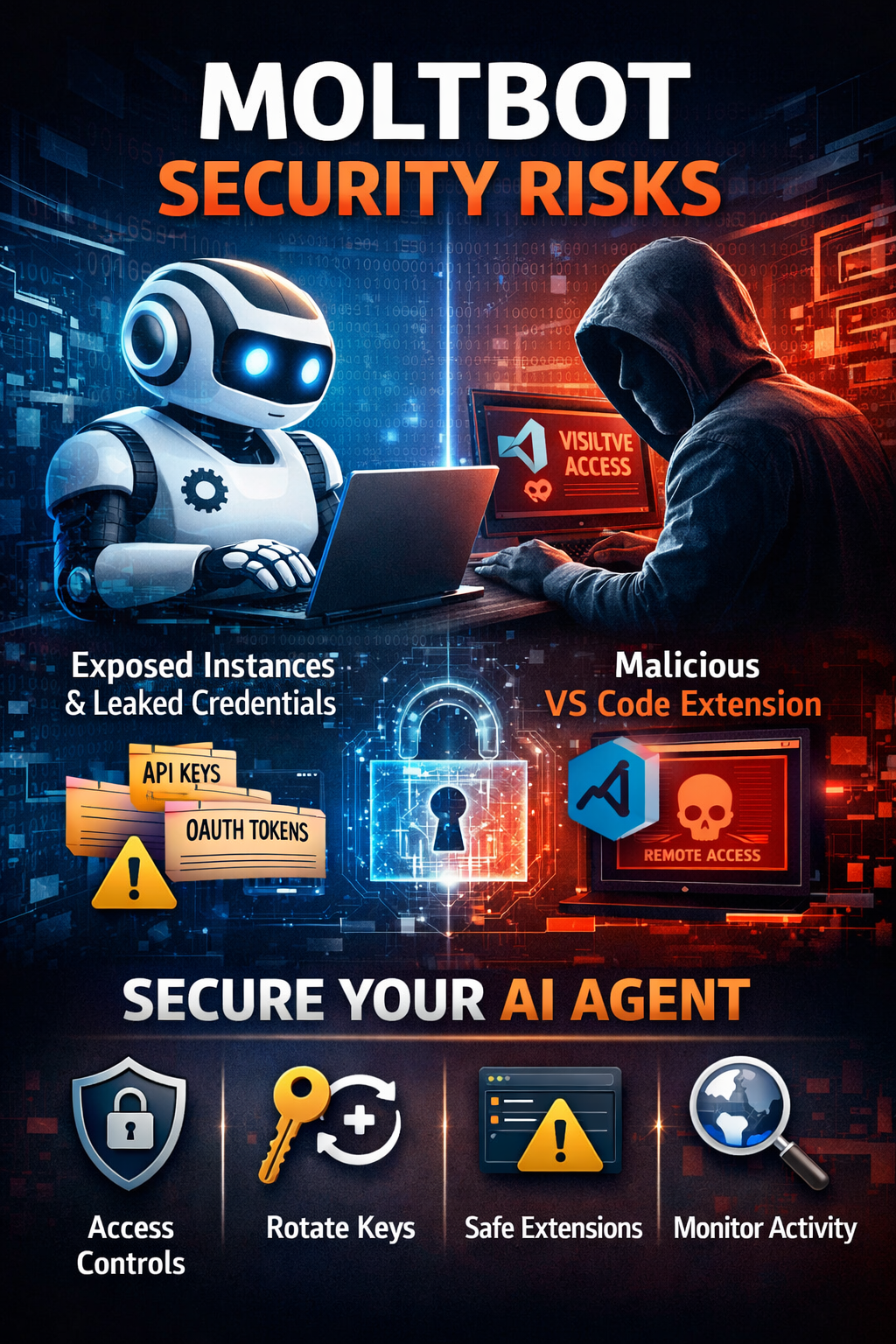
AI agents are moving fast from experimentation to everyday use. Tools like Moltbot promise automation, local control, and flexibility. But recent security findings show how quickly that promise can turn into risk when guardrails are missing.
Researchers have uncovered exposed Moltbot instances, leaked credentials, and a malicious VS Code extension masquerading as an official AI assistant. Together, these incidents highlight a growing issue. AI agents with execution power are becoming a new and fragile attack surface.
TL;DR
- Moltbot is a powerful local AI agent, but weak configurations can expose systems and credentials
- Researchers found exposed Moltbot instances leaking API keys and chat data
- A fake VS Code extension posing as a Moltbot assistant delivered remote access malware
- AI agents expand the attack surface due to autonomy and execution capability
- Securing Moltbot requires access control, permission limits, monitoring, and extension hygiene
What Is Moltbot and Why Developers Use It
Moltbot, earlier known as Clawdbot, is an open-source AI agent designed to run locally on a user’s machine. Unlike cloud-based assistants, it connects directly to the system and can integrate with services such as WhatsApp, Telegram, and Slack to perform tasks.
This local-first approach appeals to developers who want control over their data and workflows. Moltbot can read messages, trigger actions, and automate responses without relying on third-party servers.
But that same autonomy is also what makes it risky. Once an AI agent can execute commands and access credentials, any weakness in configuration or exposure can have real consequences.
Exposed Moltbot Instances and Credential Leaks
Security researchers identified hundreds of Moltbot instances accessible over the internet with little or no protection. These exposed setups leaked sensitive information, including API keys, OAuth tokens, and chat histories.
In practical terms, this means attackers could impersonate users, access connected services or harvest private conversations. In some cases, the agent’s control interface itself was reachable without authentication.
The root cause wasn’t a single exploit. It was weak defaults, skipped hardening steps, and the assumption that “local” automatically means “safe.”
Why AI Agents Increase the Attack Surface
Traditional software waits for user input. AI agents act on it.
Moltbot can interpret messages, files, or prompts and then take action. That creates the risk of prompt injection, where a crafted input tricks the agent into executing unintended commands. When an agent has broad permissions, the damage doesn’t stop at data exposure. It can extend to system-level actions.
This shift changes how defenders need to think. AI agents are not just tools. They behave more like semi-autonomous services and must be secured accordingly.
The Malicious VS Code Extension Incident
In January 2026, researchers discovered a malicious extension in the official Visual Studio Code Marketplace posing as a Moltbot-related AI coding assistant. The extension, listed as “ClawdBot Agent – AI Coding Assistant,” was not affiliated with the real project.
Once installed, it silently deployed ScreenConnect, a remote access tool, and connected back to attacker-controlled servers. The malware included fallback mechanisms to maintain persistence even if parts of the infrastructure failed.
This incident was not a simple prank or experiment. It demonstrated how threat actors can abuse trusted developer platforms to distribute malware, especially by exploiting interest in popular AI tools.
How to Secure Your Own Moltbot Setup
If you are running Moltbot locally or experimenting with AI agents, security cannot be an afterthought. These steps help reduce real risk.
Start by locking down access. Moltbot should not be exposed to the public internet by default. Run it on localhost or behind a private network. If remote access is required, use a firewall or VPN and ensure authentication is enforced on all interfaces.
Handle credentials carefully. API keys and OAuth tokens should be stored as environment variables, not hardcoded in files or repositories. Rotate keys regularly. If there is any chance logs or chat data were exposed, assume credentials are compromised and replace them.
Limit agent permissions. Moltbot does not need full system access to function. Restrict file access to specific directories and avoid running it with admin or root privileges. Scope third-party service permissions tightly.
Defend against prompt injection. Treat all external input as untrusted. Add validation layers so the agent cannot execute sensitive commands without explicit approval. Block actions that affect system files, credentials, or network settings unless manually reviewed.
Monitor network behavior. Unexpected outbound connections are a red flag. Basic network monitoring and egress controls can help detect data exfiltration or unauthorized remote access early.
Be cautious with IDE extensions. Install only extensions from verified publishers. Review permissions, update history, and linked repositories. A single malicious plugin can compromise an otherwise secure setup.
Keep Moltbot isolated and updated. Track project updates and security discussions. Apply patches promptly. When possible, run the agent inside a container or virtual machine to limit blast radius.
Finally, enable logging and review it. Autonomous tools should always leave an audit trail. Logs help catch silent misuse before it turns into a larger incident.
What This Means for Developers and Teams
The Moltbot incidents are not isolated. They reflect a broader pattern where AI-powered tools are adopted faster than security practices adapt.
For developers, this means treating AI agents like internal services, not side projects. For organizations, it means updating threat models to include autonomous tools, plugins, and extensions.
Convenience is valuable. But when tools can act on your behalf, convenience without control becomes a liability.
To Sum Up
Moltbot itself is not malicious. It is an open-source project built for flexibility and experimentation. The real risk comes from exposed configurations, excessive permissions, and blind trust in surrounding ecosystems.
AI agents are powerful. That power needs boundaries.
Securing Moltbot is less about fear and more about discipline. Lock it down, limit what it can do, and watch what it touches. That mindset will matter more as AI agents become a normal part of development workflows.
FAQs
Is Moltbot itself malicious?
No. Moltbot is an open-source AI agent. The risks come from exposed deployments, excessive permissions, and third-party abuse, not from the core project itself.
Why are AI agents like Moltbot risky?
AI agents can act on inputs and execute actions. If they are misconfigured or manipulated through prompt injection, they can perform unintended or harmful operations.
What data was exposed in insecure Moltbot setups?
Researchers observed leaked API keys, OAuth tokens, chat histories, and control interfaces exposed to the public internet.
How did the malicious VS Code extension work?
The fake extension impersonated a Moltbot-related AI assistant and installed ScreenConnect, allowing attackers to gain persistent remote access to infected systems.
Can developers safely use Moltbot?
Yes, if it is treated like any other internal service. That means restricting access, limiting permissions, monitoring activity, and avoiding unverified plugins.
What is the biggest takeaway for teams?
AI-powered tools increase productivity, but they also increase responsibility. Any tool with execution capability must be secured by default.