Phishing PDF Attachment: Why Cybercriminals Prefer This Trusted File Format

Share
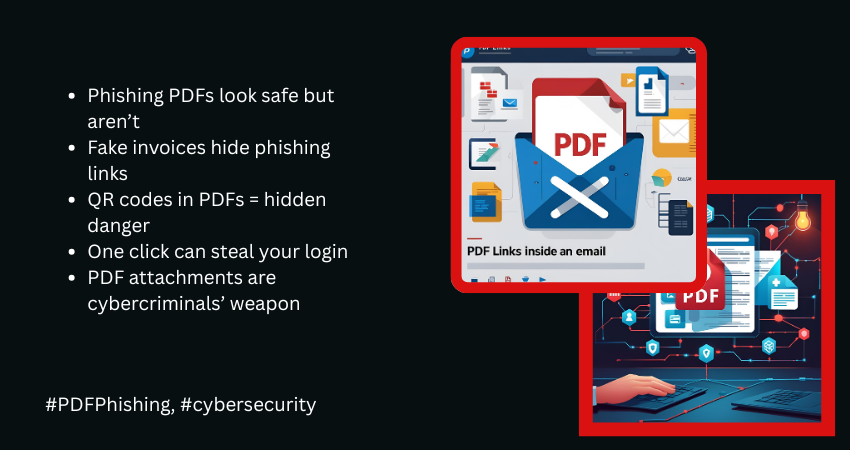
Phishing campaigns have shifted. The phishing PDF attachment has become one of the most effective tools in a cybercriminal’s arsenal, quietly replacing .zip files and executables in modern phishing campaigns. This everyday file format is being exploited to steal credentials, deliver malware, and trick users at scale. The IBM X-Force Threat Intelligence Index 2025 highlights a significant shift; PDFs have overtaken .zip files as the most common attachment in phishing emails. And the reasons go beyond just convenience—they tap into user psychology, technical blind spots, and security gaps.
Key Takeaways
- PDFs are now the top malicious attachment in phishing campaigns.
- They exploit trust, open easily, and bypass many email filters.
- Can hide links, QR codes, or scripts for credential theft or malware.
- Simple attack flow: email → open → click → compromise.
- Defense needs advanced filtering, user training, and QR code controls.
PDF Phishing by the Numbers (Source: IBM X-Force 2025)
- PDFs accounted for 35% of all phishing attachment types in 2024, surpassing .zip files.
- Phishing was the initial infection vector in 38% of incidents analyzed by IBM.
- Information stealers surged by 266%, with many delivered via PDF phishing.
- 84% of infostealer infections were linked to email-based delivery using file attachments like PDFs.
- 70% of PDF-based phishing attacks used embedded links inside the document, not the email body.
Why PDFs Work So Well in Phishing Campaigns
Phishing depends on two things—trust and urgency. PDFs check both boxes. Most people don’t question a PDF because they’re so common in daily work. Attackers are using this trust to their advantage.
Here’s a detailed look at why PDFs are such an effective weapon in phishing campaigns, with real-world examples to show how these attacks unfold.
1. Widespread Trust in PDFs
Why it works: PDFs are considered safe. People are more cautious with .exe or .zip files, but a PDF usually gets opened without hesitation.
Example: A phishing campaign used Microsoft-branded PDFs warning of suspicious activity. Users were redirected to a fake Microsoft login page.
2. Universal Compatibility
Why it works: PDFs open on any device. No special software is needed.
Example: Fake invoices opened smoothly on mobile and desktop, increasing chances that users would click links to phishing sites.
3. Bypasses Email Link Filters
Why it works: Email security filters often check for suspicious links in the message body but may not scan inside PDFs.
Example: A PDF named “ScopeOfWork2024.pdf” included a button linking to a malicious SharePoint clone. The email passed through filters cleanly.
4. Easy to Brand and Customize
Why it works: Attackers use logos, design elements, and language that mimic internal documents.
Example: A DocuSign-branded PDF prompted users to “Review and Sign.” The link led to a fake login page.
5. Supports Embedded Content
Why it works: PDFs support clickable buttons, hyperlinks, and even JavaScript.
Example: An “Employee Benefits” PDF had a fake button leading to a cloned HR portal where credentials were harvested.
6. Hard to Analyze Automatically
Why it works: Password-protected or encrypted PDFs can’t be fully scanned by security tools.
Example: A law firm received PDFs labeled “Confidential Contract.” Once opened, the file linked to a malware-hosting site.
7. Delayed Execution
Why it works: Some PDFs require interaction before revealing malicious behavior.
Example: A fake “Loading Document” animation triggered a redirection to a phishing site only after a user click.
8. Limited User Awareness
Why it works: Most users don’t realize PDFs can be dangerous.
Example: A PDF claiming to be a “Security Policy Update” prompted users to acknowledge it by clicking a link—redirecting them to a phishing site.
9. QR Code Delivery
Why it works: QR codes inside PDFs shift the attack from email to mobile devices, bypassing filters.
Example: A “Secure Login” PDF included a QR code that led to a fake VPN login page.
10. Low Noise in Detection Systems
Why it works: Because PDFs are common in business communication, they often trigger fewer alerts.
Example: A PDF with payroll updates was sent from a compromised internal account. Multiple employees entered credentials before it was caught.
How a PDF Phishing Attack Unfolds
PDF phishing attacks are simple in delivery but often layered in execution. Each stage is crafted to feel ordinary, while masking the intent behind the attack.
1. Email Delivery
The attacker sends a carefully crafted email with a PDF attachment. It might appear to come from a trusted source—an executive, HR, finance, or a vendor.
Tactics:
- Spoofed addresses like invoice@company-support.com
- Subject lines like “Payment Notice” or “Updated Terms”
- No links in the body—just a clean PDF attachment
2. Opening the PDF
The document looks legitimate. It might contain a logo, familiar formatting, and a call-to-action like “Click to View Document.”
Tactics:
- Professional-looking layout
- Embedded button or QR code
- Minimal or vague text to invoke curiosity
3. User Clicks Link or Scans QR Code
The action redirects the user to an external phishing site or malware-hosting page.
Tactics:
- Fake “Download” or “Verify” buttons
- Masked links to obscure the real destination
- QR codes that open phishing pages on mobile
4. Redirection to Spoofed Page
The phishing page looks exactly like a trusted site—Microsoft 365, Dropbox, Google Drive, or even an internal dashboard.
Tactics:
- HTTPS-enabled lookalike domains
- Identical branding and login form layout
- Autofilled email field to make it feel authentic
5. Credential Theft or Malware Infection
Once the user enters their credentials or downloads content, the attacker gets access.
Tactics:
- Real-time credential harvesting
- Session hijacking using stolen cookies
- Malware delivery (stealers, RATs, droppers)
Sometimes, users are redirected to the real login page after submission—so they assume nothing went wrong.
Defending Against PDF-Based Phishing
PDF phishing attacks succeed because they look ordinary. Defending against them requires a layered approach—starting with awareness and supported by strong security tools and policies.
For Organizations
- Strengthen Email Security Filters
Use secure email gateways that scan inside attachments, including embedded links and scripts.
- Add sandboxing to test suspicious files before user access
- Inspect PDFs, not just the email body
- Train Employees Using Realistic Scenarios
Make training more effective with phishing simulations that mimic real-world PDF lures.
- Include QR code bait in awareness modules
- Emphasize verifying unexpected documents—even from known senders
- Monitor Behavior After Email Delivery
Watch for abnormal behavior after a suspicious PDF is opened.
- Sudden login attempts from unknown IPs or devices
- Credential use from unapproved locations
- Multiple failed login attempts or session hijacks
- Block and Flag Unknown Domains
- Use reputation filtering to flag new or low-trust domains
- Prevent redirections from documents to suspicious sites
- Enforce Least Privilege and Zero Trust
Assume breach and limit what stolen credentials can do.
- Apply MFA universally
- Segment access based on role
- Monitor for lateral movement post-login
- Secure Mobile Access and QR Code Use
QR code phishing often targets mobile devices.
- Restrict what mobile apps can access
- Train staff to verify QR codes in documents
For Individuals
- Be Suspicious of Unsolicited PDFs
Don’t open unexpected attachments—especially ones that ask for quick action. - Don’t Trust Visuals Alone
Just because it has a company logo doesn’t mean it’s safe.
- Check sender address
- Look out for typos or formatting issues
- Never Log In Through a PDF Link
If you need to log in, go to the official site manually. Avoid entering passwords via PDF links. - Avoid Scanning QR Codes in Unknown Documents
QR codes are not automatically safe. If you don’t know the source, don’t scan. - Report Suspicious PDFs Immediately
Don’t delete. Forward to your IT or security team for analysis. - Use Secure PDF Viewers
Use tools that support JavaScript-blocking or sandbox mode when reviewing documents.
To Sum Up
PDFs are not inherently malicious—but they’re trusted, which makes them perfect for abuse. That trust is being weaponized at scale. Every PDF should now be treated like a potential attack vector. It’s no longer enough to watch for shady links in emails. You have to watch for what’s hiding behind the most common file on your desktop.
FAQs: Why PDFs Are Used in Phishing
Q: Are PDFs more dangerous than other file types?
Not by nature, but attackers exploit the fact that people trust them more.
Q: Can antivirus software detect malicious PDFs?
Not always. Password-protected or obfuscated files can slip past detection.
Q: Is it safe to scan QR codes from PDFs?
Only if the source is verified. QR codes are now a top phishing tactic.
Q: Why use PDFs instead of links in email bodies?
To avoid email filters that scan for suspicious URLs.